Over the years, user experience (UX) has become a key business driver in the fiercely competitive digital ecosystem, and not just a design concern. Whether you’re a retail company starting mobile commerce, a healthcare provider developing patient portals, or a fintech platform growing internationally, your UI/UX strategy has the power to either boost adoption or break user trust.
According to Gartner, real-time personalization, accessibility, and ethical design principles will influence 90% of user expectations by 2025. However, experience-led innovation is still not widely adopted by enterprise-grade apps.
This blog examines the top ten UI/UX design trends that will shape the next wave of mid-size and enterprise applications. These insights are designed for companies that are investing in global development partnerships, CRM modernization, or Salesforce Marketing Cloud (SFMC), which are exactly the kind of progressive teams that MetroMax Solutions supports.
AI-Driven UI Customization For Real-Time Personalization In Mobile Apps
AI UI design has transformed the modern user interface into a living, adaptable layer rather than a static canvas. Apps can now react to user environments, preferences, and actions thanks to real-time personalization.
- Apps can predict what users will need next with AI-driven predictive UX, whether that means surfacing quick-access actions or giving priority to particular data sets.
- Context-aware user interface (UI) components, such as screens that adapt to the user’s location, device orientation, or even ambient light, are now part of personalization.
- To modify tone, colour, or interaction feedback, applications can incorporate emotion detection from cameras or sensors.
Example: A wellness app may transition to a soothing colour scheme and a more simplified interface in the evening, depending on the user’s sleep objectives and past app usage.
Voice-First And Gesture-Based UX: The Rise of Touchless Interactions
Voice-enabled UX and gesture navigation in apps are transforming the use of enterprise tools as users abandon traditional input methods, particularly in hands-busy settings like field service, hospitals, and warehouses.
- Voice user interfaces (VUI) are perfect for smart assistants and wearable integrations because they allow data entry, search, and command execution without the need for screens.
- Users can swipe, tap, or scroll in midair with gesture-based navigation, which adds user-friendly interaction layers that are particularly useful in mixed reality or augmented reality settings.
- UX adaptability across devices and user requirements is increased by combining multimodal interactions, voice, touch, and visual cues.
Example: A logistics app for warehouse employees might enable voice commands for order tracking updates while donning gloves or head gestures on AR glasses.
Neumohormisim 2.0: Functional Minimalism With Soft UI Depth
Did you know that Neumorphism UI was once criticized for being unworkable? But it has since been improved to create a contemporary style that combines usability and minimalism. Clarity is given priority in the new wave, Neumorphism 2.0, while maintaining a tactile appearance and feel.
- Soft shadows, light depth, and a distinct hierarchy are used to produce a subtly elegant interface.
- In contrast to previous iterations, the revised design improves contrast and touch feedback to comply with accessibility standards.
- It functions best in settings that require concentration, like note-taking apps, wellness trackers, or financial dashboards, where simplicity promotes focus.
Example: A finance app that displays gentle “raised” transaction cards with distinct call-to-actions and convenient tap areas enhances user engagement while preserving visual tranquillity.
Microinteractions That Drive Engagement In UX Journeys
Microinteractions are minor but effective cues that enhance user engagement, flow, and emotional fulfilment. They serve as narrative tools in contemporary apps, directing users, validating actions, and bringing joy.
- These consist of loading transitions, animated icons, confirmation checkmarks, and tactile responses (such as haptic vibrations).
- Microinteractions need to be meaningful, quick (less than 200 ms), and consistently integrated into the UX.
- By clearing up confusion and offering immediate visual feedback, they promote higher task completion rates.
Example: An email marketing app that employs a confetti burst following account setup or a progress animation when campaigns are sent can serve to reinforce achievement.
Sustainable UI/UX Design: Building Ethical, Low-Impact Interfaces
Enterprise brands are increasingly focusing on ethical design and digital sustainability as core differentiators. Consumers prefer apps that minimize cognitive manipulation, safeguard their privacy, and have little effect on the environment.
- Designing for privacy. By requesting permissions up front and outlining the use of data, UI promotes transparency.
- User trust is increased when dark patterns like forced sign-ups, deceptive buttons, and hidden subscriptions are removed.
- Lightweight design systems, which use fewer resources and server calls, are being adopted by developers and designers to save bandwidth and energy.
Example: A fintech platform that loads in less than two seconds avoids deceptive upsells in the user interface and offers upfront data-use opt-ins.
Inclusive App Design: Accessibility As A Built-In UX Requirement
Designing with accessibility and inclusivity in mind is not only morally right, but also profitable. Apps that satisfy a range of user needs draw in more users, adhere to legal requirements, and test more successfully in usability tests.
- Font options for dyslexics, color-blind safe palettes, and text resizing are now common.
- Keyboard navigability, ARIA labelling, and screen reader compatibility guarantee that apps are usable by people of all skill levels.
- Accessibility is now ingrained in the components of enterprise-level design systems like Google Material and Salesforce Lightning.
Example: A healthcare portal that supports mouse-free input, has visual contrast toggles, and enables screen reader access makes it easily usable for people of all ages and skill levels.
Card-Based UI Architecture For Modular App Design
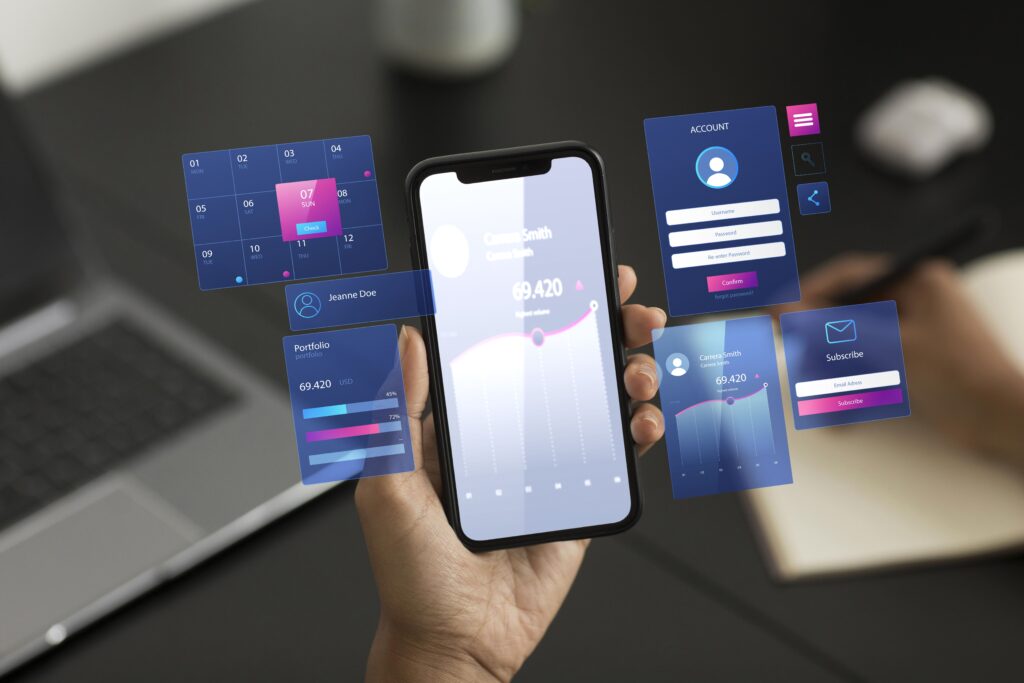
The card-based UI design pattern has become a go-to format for organizing and interacting with large volumes of dynamic content. It is particularly effective in admin panels, CRM platforms, and enterprise dashboards.
- Cards serve as visual containers that make it easier for users to scan and work with large, complicated data sets.
- Because they are modular, responsive layouts can be used on tablets, smartphones, and PCs.
- Interactivity is improved by features like drag-and-drop, swipe-to-expand, and click-to-drill-down.
Example: Users can rearrange views according to their workflow on a sales team dashboard that uses cards to display opportunities, lead scores, and engagement metrics.
Augmented Reality (AR) UI/UX For Spatial And Immersive Interfaces
By introducing 3D and spatial UX, AR UI design is pushing the limits of conventional interfaces as AR-enabled devices become more widely used.
- Users interact with layered user interface elements that are projected into their actual environment rather than tapping a screen.
- Top enterprise use cases include interactive shopping, remote support tools, and AR tutorials.
- Gesture controls, spatial anchors, and responsive feedback loops are key components of these interfaces.
Example: Consider a furniture retail app that uses augmented reality (AR) and real-time spatial mapping to show users how a couch would appear in their living room.
Emotive Typography: Designing Interfaces That Speak Your Brand’s Voice
Nowadays, typography serves as both an emotional trigger and a branding tool in addition to being readable. Businesses are employing unique typefaces, animations, and font combinations to create emotion-driven user interface design.
- Animated text, or kinetic typography, aids in drawing in viewers and directing their attention.
- Brands use script fonts for warmth, bold fonts for authority, and geometric fonts for creativity.
- Localized typography helps global applications match cultural quirks in readability and tone.
Example: To strike a balance between trust and innovation, a tech services platform uses soft rounded fonts for content and a bold, all-caps display font for headers.
AI-Powered Design Systems: Automating UX Workflows At Scale
Design workflows are being rapidly transformed by AI. UX automation workflows are now powered by platforms like Figma AI, Framer AI, and Uizard, which facilitate quicker iterations and teamwork.
- These tools use best practices to automatically generate responsive layouts, spacing, and user interface elements.
- Excellent for development teams that are outsourced and require smooth, consistent handoffs.
- Enables faster iteration and collaborative creation of live prototypes by product managers, designers, and developers.
Example: A retail company creates email templates that automatically adjust for SFMC mobile layouts using Figma AI.
Final Comments
With changing user expectations, touchless interfaces, inclusive design, real-time personalization, and ethical transparency are no longer considered extras, but rather the norm. Businesses that make investments in UI/UX strategies that are ready for the future will benefit from increased ROI, quicker adoption, and devoted users.